

Kling 4: Features, Limits, and What to Try First
Kling 4, named Kling 4.0 in the release notes, became broadly available on October 15, 2026. Its most useful changes for creators are longer continuous clips, more reference inputs, and control over intermediate visual moments. The full model supports 3–30-second generation and up to 10 keyframe images. Kling 4.0 Flash has a different specification: 3–20 seconds at 720p.
Kling 4.0 is available in Whisk AI’s video generator. Prepare your reference images and shot plan, then select Kling 4.0 to start creating. This guide explains the model’s documented capabilities and the limits worth checking before planning a project.
Specifications checked October 19, 2026 against Kling’s release notes. This is a documentation-based guide, not a side-by-side output benchmark.
What does Kling 4.0 change?
A longer generation window matters when an action needs room to develop. Imagine a product shot in which a hand lifts a teapot and pours tea. You need the hand to approach, make contact, lift the pot, and pour while preserving its shape. A continuous clip can keep that sequence together instead of requiring a cut between each action.
That does not mean every scene should use 30 seconds. A longer clip gives an unwanted detail more time to drift. Start with the shortest duration that contains the action, inspect the contact points and object shape, then expand the sequence if it survives review.
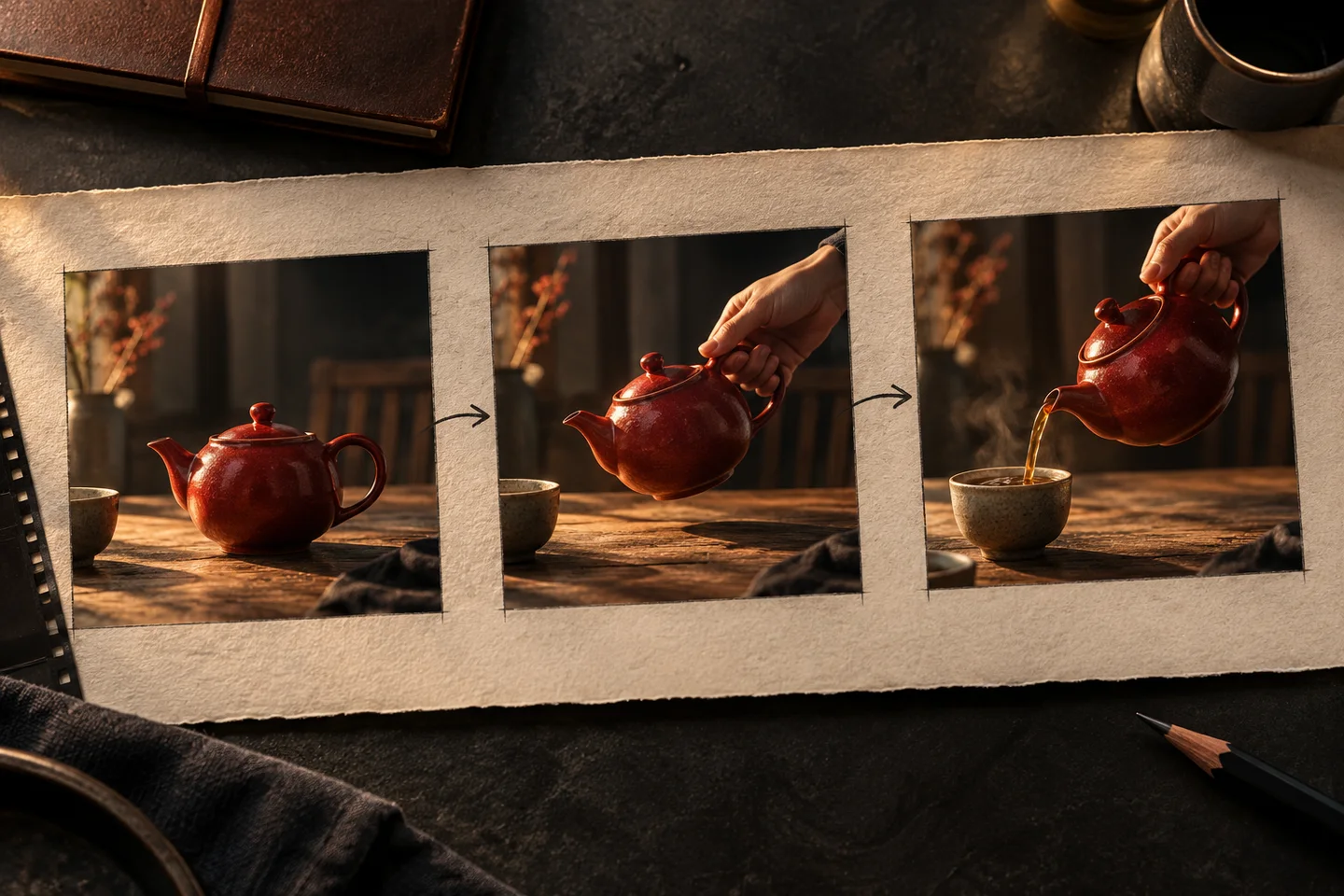
Original editorial illustration of a continuous-action plan. These panels are not Kling-generated video frames or evidence of model performance.
The second change is how you communicate the scene. References describe what should remain recognizable; keyframes describe important visual states along the way. The release notes also describe targeted video editing, so an existing clip can become the starting point for a controlled change rather than a complete regeneration.
Kling 4.0 and Flash: check the selected model
| Setting | Full Kling 4.0 | Kling 4.0 Flash |
|---|---|---|
| Generated clip duration | 3–30 seconds | 3–20 seconds |
| Listed output resolutions | 720p, 1080p and 4K | 720p |
| Reference workflow | Omni Reference | Omni Reference |
| Keyframe capability | Up to 10 keyframe images | The Flash summary does not establish parity with the full model |
| Dynamic range | 10-bit HDR at 1080p and 4K is described as coming soon | 8-bit SDR |
| Useful starting task | A scene needing longer action or more visual control | Frequent draft creation when 720p meets the brief |
The full-model table lists HDR, but the explanatory paragraph explicitly calls it coming soon. The same release notes describe repeated extension to two minutes as forthcoming. Treat those as announced features until your workspace actually exposes them. A 30-second native generation and a two-minute extended sequence are different deliverables.
Flash is positioned for frequent creation. The documentation does not provide a universal completion-time promise or prove that every full-model control is available in Flash. Check the selected model before adapting a workflow.
Reference limits: the combined total matters
Kling 4.0’s Omni Reference supports up to 15 combined reference assets. Individual limits include up to 10 images, up to five reference videos with a combined duration of 30 seconds, and up to seven elements, with at most three video-based elements. Audio reference is for voice reference. These caps do not add up to permission to submit every maximum at once.
A small product brief might need only a front view, a side view, a setting image, and one motion reference. Label the role of each asset in your instructions. If two images show conflicting product colors, remove the ambiguity before generation.
Before generating, list what each reference should control: subject identity, setting, motion or a specific visual moment. Remove conflicting inputs before adding more assets.
What should you test first?
Choose one difficult action from your real project rather than a generic landscape. For a product ad, test a hand picking up the item. For a dialogue scene, test the speaker turning their head during one short line. For an action scene, test a single contact or direction change.
Review four things before increasing duration or resolution:
- Identity: do the face, outfit, product shape and key details remain recognizable?
- Action: does the movement complete in the right order without disappearing objects?
- Camera: does the intended move happen without an accidental cut or framing change?
- Sound and text: are dialogue, visible lettering and timing usable for this specific delivery?
Kling describes improvements in audiovisual quality, motion and text generation. Those are developer claims, not a guarantee that your logo, exact wording or dialogue will survive every shot. Add critical campaign typography in an editor if the generated text fails inspection.
Where Whisk AI fits
Use the Whisk AI image workspace to develop a clean subject reference or opening composition. Keep the accepted image and its prompt together so revisions start from the same brief. For deliverables built from separate short shots, choose an available video model that meets the brief.
For a shot built around Kling 4.0, bring the approved references into Whisk AI’s video generator and choose the settings that fit your scene. Choose a continuous scene when the action needs to remain uninterrupted; use separate shorter shots when independent revisions and editing flexibility matter more.
Before you spend credits
Check the model name, reference mode, duration, resolution, audio setting and displayed charge together. Subscription credits, API pricing and Whisk AI credits are separate units. This guide does not assign an unverified dollar price or promise free access to a particular configuration.
The practical next step is one approved reference image and one short test action. Use that result to decide whether your project needs a longer continuous generation or a sequence of independently editable shots.