

Seedream 5.5 vs GPT Image 2.5: Which Fits Your Image Editing Workflow?
Seedream 5.5 and GPT Image 2.5 overlap on the jobs that often create the most rework: revising an existing image, preparing reusable design assets, and combining pictures with exact text.
For a precision-focused API workflow, GPT Image 2.5 Sunburst is a sensible starting candidate. For transparent assets and repeated visual revisions, evaluate Seedream 5.5 against the same deliverable. Include GPT Image 2.5 Flare when turnaround time is a priority. These are starting points for evaluation; the available documentation does not establish an overall quality winner.
This comparison uses product pages and technical documentation reviewed on October 28, 2026. We have not run a controlled comparison of these models. The briefs below are original evaluation examples, with no generated test results presented as evidence.
Seedream 5.5 vs GPT Image 2.5 at a glance
Dreamina's Seedream 5.5 overview describes localized revisions, RGBA assets, and text-rich layouts. OpenAI provides two named GPT Image 2.5 options, which should be recorded separately in any comparison.
| Decision point | Seedream 5.5 | GPT Image 2.5 | What should decide your choice |
|---|---|---|---|
| Focused image changes | Local and repeated edits described in product materials | Sunburst is positioned for editing precision | Whether the requested change succeeds without unacceptable changes elsewhere |
| Transparent assets | Native RGBA output described | Transparent-background generation documented | The downloaded file's alpha channel and composite quality |
| Posters and information graphics | Text and structured layouts described | Text and layout examples appear in the prompting documentation | Exact wording, reading order, and legibility at delivery size |
| Choosing a variant | Record the exact model and service settings used | Specify Sunburst or Flare | A named, repeatable configuration |
| Workflow controls | Check the controls exposed by your chosen service | API documents quality, size, background, and format controls | Whether your required input and export are available |
| Cost and speed | No comparable measurements in this article | No comparable measurements in this article | Actual charges, accepted outputs, elapsed time, and finishing work |
The table summarizes documented capabilities and evaluation criteria. It does not imply that two services expose identical controls.
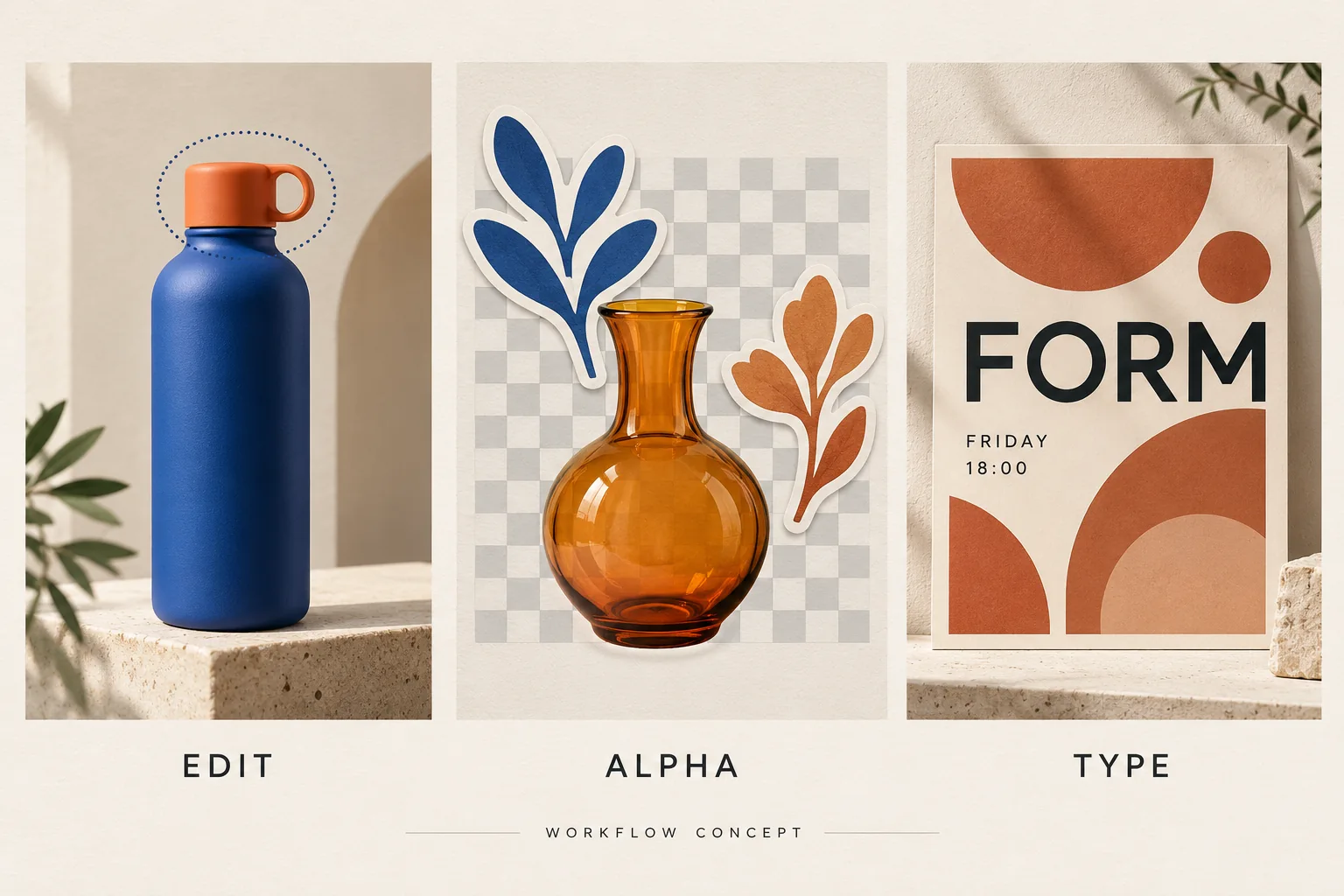
Original concept illustration for this article. It explains three deliverables; it is not an output comparison, a screenshot, or performance evidence from either model. The illustrated checkerboard does not demonstrate a real alpha channel.
First, specify which GPT Image 2.5 you mean
OpenAI's Sunburst model page positions it for work where editing precision matters. Its Flare model page positions Flare for fast, everyday image generation.
That distinction changes the comparison. A client-approved product edit and a batch of exploratory compositions have different acceptance standards. If a result is labelled only “GPT Image 2.5,” ask which variant produced it before applying the finding to your own work.
For a product edit, begin with Sunburst as the GPT candidate. For rapid ideation, include Flare as a separate candidate. Record the quality setting and dimensions as well as the name. The same prompt sent through a consumer app and an API may also involve different surrounding tools.
For Seedream, record the version shown by the service. A result generated with 5.0 Pro should retain that label. A model-family name alone is insufficient for a repeatable comparison.
How to read the published comparison claims
The Lumina Seedream 5.5 page reports stronger multi-round editing and realism than GPT Image 2.5 in ByteDance's internal evaluations. These are vendor-reported findings. The page material reviewed here does not establish the GPT variant, full task set, settings, or a reproducible scoring protocol.
Treat those claims as a reason to test difficult revisions. They do not establish a win for your packaging, portrait, language, or editing sequence. This article therefore makes no performance ranking from those claims.
Product edits: measure the details that must survive
A useful product-editing comparison starts with one controlled change. Use the same source photograph and ask each candidate to recolor the cap of a reusable bottle.
Example brief for evaluation:
Change only the bottle cap from orange to matte forest green. Preserve the bottle body, cap shape, handle, camera angle, label, reflections, background, and framing. Do not add objects or text.
Before submitting, identify three details you will inspect: the cap's silhouette, the label's lettering, and a small reflection on the bottle. Inspect the result beside the source at full size.
A clean recoloring with a different handle is a failed product edit. A beautiful image with altered label text is also a failure when the label must remain accurate. Decide those rules before seeing either output, so visual appeal does not quietly replace the original requirement.
Then make a second request on each accepted result: change the background to a pale warm gray while preserving the green cap. This tests whether the earlier change survives another revision. Keep the source and every intermediate file.
For this task, Sunburst is the precision-oriented GPT starting point; Seedream 5.5 is the alternative to evaluate against the same preservation rules. If both pass, compare finishing time and actual cost. If neither preserves essential packaging details, keep the source product photograph and use a more controlled compositing or retouching workflow.
Transparent assets: inspect the file, then the composite
Transparency has two separate requirements: the file must contain useful alpha information, and the asset must look right when placed on another background.
OpenAI's image-generation API reference documents transparent backgrounds for both GPT Image 2.5 variants, with PNG or WebP output. Confirm that your chosen interface exposes the required export. A JPEG cannot preserve an alpha channel.
For the comparison, prepare a small asset with a clear outline, a narrow opening, and a partly transparent material. An amber glass vase is more revealing than an opaque square icon.
Example brief for evaluation:
Create one amber glass vase as an isolated design asset with a transparent background. Keep the narrow neck and curved rim clearly defined. Preserve partial transparency through the glass. Include no floor, backdrop, typography, or decorative objects.
Open each downloaded file in an editor that displays transparency. Place it over a white, charcoal, and saturated blue background. Look for painted checkerboard pixels, pale fringes, opaque glass interiors, or background color trapped near the rim.
For a glass asset, empty space should reveal the new background cleanly while the glass retains plausible tint and opacity. A hole between a handle and an object should also remain open. Judge the result at the size at which it will be used.
Both model families belong on the shortlist for this task. Choose the workflow that delivers a usable composite with fewer repairs. Neither a PNG extension nor a transparent-looking preview establishes that the file is ready to use.
Posters and infographics: compare exact information
A poster can look convincing while failing its main job. A wrong date, price, or address matters more than an attractive texture.
Use the same short, invented copy for each candidate. Separate the words from the visual direction, and make the reading order explicit.
Example brief for evaluation:
Design a portrait poster for a fictional ceramics event. Use exactly these three text blocks: “FORM”, “FRIDAY”, and “18:00”. Place FORM as the main headline, FRIDAY below it, and 18:00 as the smallest block. Use terracotta and cream geometric shapes. Add no other words, letters, numbers, logos, or watermarks.
This brief is deliberately narrow. It makes added characters, missing text, and changes in hierarchy easy to detect. Once a candidate passes, introduce a longer subtitle or a second language in a separate request.
OpenAI's image prompting guide includes guidance for text, layout, and reference-based editing. Use the exact copy in the brief as the reference when reviewing either model.
Read every character. Then reduce the image to its intended phone or print size and check the hierarchy again. Have a fluent reader review multilingual copy, including punctuation and line breaks. An image that passes at full resolution may still fail in a small placement.
For information graphics, verify the underlying claims and numbers separately. A coherent layout does not validate the information it contains. Keep final offer copy, frequently changing prices, and client-required editable text in a layout editor when revisions need to remain easy.
For this task, neither model earns an automatic recommendation from its feature list. Compare the exact copy and delivery format. If both require extensive text repair, use them for the visual component and assemble the final typography separately.
Run a small comparison before changing your workflow
Choose one representative task from each section you actually need. There is little value in testing transparent glass if your production work consists entirely of flat event posters.
For a useful first screen:
- Use the same brief, source files, target dimensions, and acceptance rules for every candidate.
- Produce three independent attempts per task, subject to your budget. Include all attempts in the record.
- For an editing task, evaluate the complete revision sequence as well as the first edit.
- Separate pass/fail requirements from visual preference. Inspect critical details before choosing the most attractive result.
- Record accepted files, charges, elapsed time, and any manual repair.
Three attempts are a practical screening sample, not a statistical benchmark. A costly decision calls for more representative inputs, including difficult products, languages, and revisions.
| Task | Required pass | Reason to reject |
|---|---|---|
| Bottle-cap edit | Correct cap color; locked product details remain acceptable | Changed geometry, lettering, or an earlier approved edit |
| Transparent vase | Usable alpha and convincing edges on three backgrounds | Painted background pattern, halos, or unusable opacity |
| Event poster | Exact copy and clear hierarchy at final size | Added characters, incorrect time, missing words, or unreadable text |
If you rewrite a prompt for one model, record that as a second round. The first round compares a shared brief; the second explores how much model-specific adjustment helps. Both are useful, but they answer different questions.
Cost and speed: compare accepted deliverables
This article does not identify a cheaper model. API token rates, app subscriptions, and platform credits describe different billing arrangements. The figures need the same workload and purchasing context before they can support a cost comparison.
Use this calculation:
Generation cost per accepted asset = net generation spend ÷ number of accepted assets
Keep manual finishing time alongside that figure. Include unsuccessful attempts that were actually charged, and subtract only refunds that were actually received.
For example, a fictional workflow that spends 12 currency units and accepts six assets costs 2 units per accepted asset. Another that spends 9 units and accepts three costs 3 units per accepted asset. The lower total spend does not make the second workflow cheaper per deliverable. These numbers illustrate the calculation; they are not model prices or test results.
Measure turnaround from submission to a usable downloaded file. Keep queue time, retries, and repair time visible. A quick first preview can still leave a long editing job.
Which should you start with?
Start with GPT Image 2.5 Sunburst when precise reference-image editing is your main requirement and you need the documented API controls. Make product preservation the first acceptance test.
Include GPT Image 2.5 Flare when you produce many exploratory directions and turnaround is a priority. Check whether Flare still meets your quality threshold on your own workload.
Evaluate Seedream 5.5 when its asset-generation and repeated-editing workflow matches your design tasks. Use the same original references, exact copy, export requirements, and review rules as the GPT candidate.
Choose at the task level. You may prefer one candidate for a local product edit and another for a poster concept. Start with one real deliverable, save the full revision history, and keep the workflow that passes your requirements with acceptable cost and repair time.